A controlled printing environment can become increasingly important as businesses move from basic PLA prototypes to engineering materials and larger functional parts. A 3D printer enclosure can help maintain a more stable environment around the build area, reduce the effect of drafts, and provide a more controlled workspace. For business users, however, choosing an enclosure requires more than comparing size and appearance. Material requirements, temperature management, ventilation, printer compatibility, and workflow should all be considered.
Why a 3D Printer Enclosure Matters
The primary purpose of an enclosure is to reduce environmental fluctuations around the print. Materials such as ABS and ASA can be susceptible to warping and layer-separation problems when cooling conditions are unstable. Prusa specifically recommends an enclosure for larger ASA parts and notes that ABS is best printed in an enclosed chamber.
An enclosure can therefore be particularly relevant to manufacturers producing larger technical components. By limiting drafts and helping retain heat around the build volume, it can create more consistent printing conditions. This does not mean that every material requires an enclosure. PLA and other easier-to-print materials may not need the same degree of environmental control.
Key Features to Look for in 3D Printer Accessories
Businesses evaluating 3D printer accessories should first consider whether an enclosure is compatible with the printer’s dimensions and operating requirements. The enclosure should provide sufficient clearance for the machine, cables, ventilation components, and routine maintenance. A poorly sized enclosure can make access difficult and interfere with normal operation.
Temperature management is another major consideration. An enclosure designed for engineering applications may need to retain heat without creating excessive temperatures around components that are not designed for elevated ambient conditions. Prusa, for example, notes that prolonged enclosure use can cause certain printer plastic components to deform, depending on the material and operating conditions.
Ventilation should also be considered according to the material being printed and the workplace. An enclosure should not automatically be treated as a substitute for appropriate ventilation or filtration. For materials that can produce fumes or odors, the overall setup should be evaluated as a complete system rather than relying solely on a closed cabinet. Prusa notes that ABS can produce potentially hazardous fumes, while its enclosure guidance also discusses odor reduction and filtering.
Match the Enclosure to the Printing Material
Material selection is one of the most important factors when choosing an enclosure. ASA, ABS, PC, PA, PP, and related composite materials can benefit from a more stable thermal environment, particularly for larger or more demanding prints. Prusa identifies these materials among those for which an enclosure may be needed.
For professional users, this makes the enclosure part of a broader process-control strategy. UltiMaker similarly highlights controlled build environments for temperature-resistant materials and uses actively heated chambers on some professional systems to control the printing environment.
However, thermal control during printing is only one part of material management. Filament condition before and during printing can also affect the workflow. Moisture-sensitive engineering filaments may require dedicated drying equipment, making filament dryers useful complementary 3D printing accessories rather than replacements for printer enclosures.
Why Filament Drying Belongs in the Same Workflow
A printer enclosure controls the environment around the printer, while a filament dryer conditions the material itself. These functions should not be confused when businesses design a professional printing setup. Keeping the two functions separate can help production teams identify where a quality problem originates.
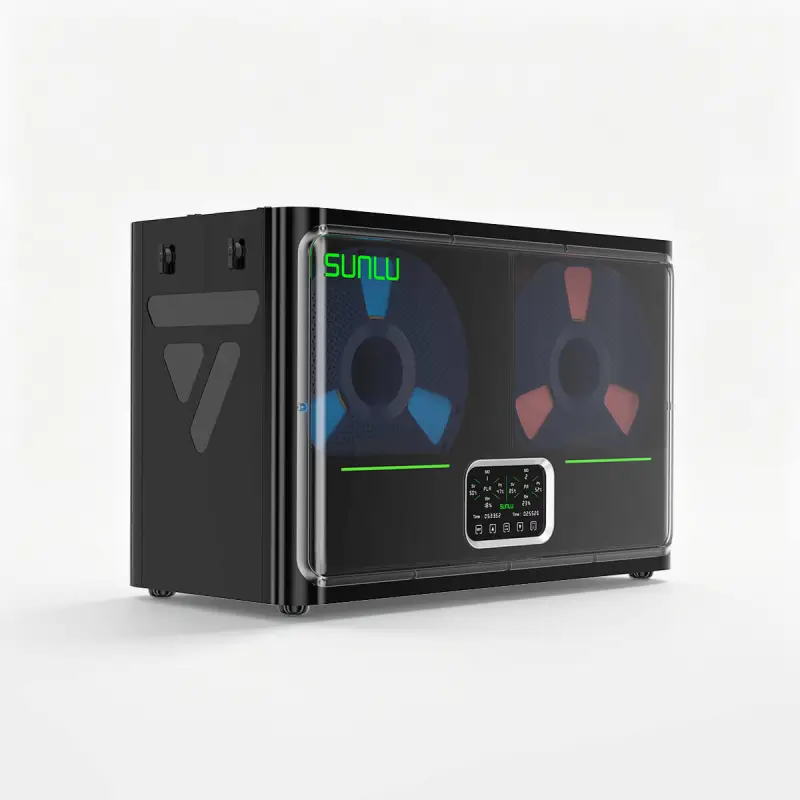
SUNLU‘s FilaDryer S4 Pro illustrates this complementary approach. Its dual-chamber design uses thermal insulation panels to divide the unit into two independently managed zones. Each chamber has an independent heating system with temperature control from 45–85°C, allowing different filament types to be processed simultaneously.
The S4 Pro also supports a dedicated annealing mode for engineering materials. According to SUNLU’s product information, it can maintain a 70–85°C annealing environment, allowing printed models to undergo 2–3 hours of annealing treatment after printing. This process is intended to optimize mechanical performance and overall durability.
The product accommodates four 1 kg filament spools, with two independently controlled chambers. Its published product dimensions are 458 × 218 × 310 mm, and the maximum capacity of each chamber is 220 × 210 × 211 mm. These specifications make it more appropriate to describe the S4 Pro as a multi-spool drying and annealing unit rather than a printer enclosure.
How Businesses Can Choose the Right Setup
The most suitable enclosure depends on the printer, material portfolio, production volume, and facility requirements. A company printing primarily PLA prototypes may need only basic environmental protection, while a manufacturer working with ABS, ASA, nylon, PC, or composite materials may require substantially greater temperature control.
Businesses should also evaluate access, visibility, cable routing, ventilation, filtration, and maintenance. If several printers operate simultaneously, the enclosure design should support repeatable workflows rather than simply enclosing individual machines. Noise reduction can also be relevant in offices, laboratories, and shared production spaces.
A complete setup may therefore combine several 3D printing accessories with the printer itself. An enclosure can help control the printing environment, while a filament dryer can help prepare and maintain material conditions. Treating these functions as complementary allows purchasing teams to select equipment according to specific production requirements.
Building a More Controlled Printing Workflow
For professional 3D printing, an enclosure should be viewed as one element of environmental and material management rather than a universal solution. The right choice depends on the materials being printed, the size and geometry of the parts, printer specifications, workplace conditions, and required production consistency.
SUNLU supports this broader workflow with products covering filament preparation and related printing equipment. The FilaDryer S4 Pro combines dual-zone drying with independent temperature control and a 70–85°C annealing environment, providing a dedicated solution for businesses working with multiple filament types and engineering-material workflows.
For companies assessing 3D printer accessories, the practical approach is to identify the specific source of environmental or material instability first. A suitable printer enclosure can help manage the build environment, while dedicated drying and annealing equipment can address filament preparation. Together, these solutions can support a more controlled and repeatable additive manufacturing process.